Why Appointment Scheduling Breaks Down Without a Plan
Every missed appointment, double-booked slot, or awkward gap in a doctor’s calendar traces back to the same root cause: no reliable appointment scheduling template guiding the process. Whether you run a medical practice, a law office, a salon, or a consulting business, appointments are the backbone of daily revenue, and treating them casually almost always leads to lost clients and wasted hours. An appointment scheduling template solves this by giving every booking a fixed place on a shared page, so front-desk staff, providers, and clients are all working from the same information instead of a patchwork of sticky notes and verbal promises. Doctors, consultants, lawyers, and service providers of every kind rely on this simple structure because the alternative — trying to hold an entire day’s bookings in memory — inevitably leads to overlaps that frustrate both staff and customers. Building the habit of logging every appointment the moment it is made is what keeps an office running smoothly instead of scrambling to fix conflicts after they have already happened.
What Belongs on a Well-Built Appointment Schedule
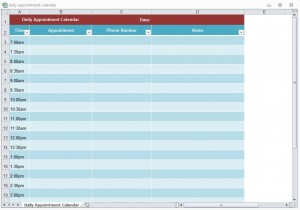
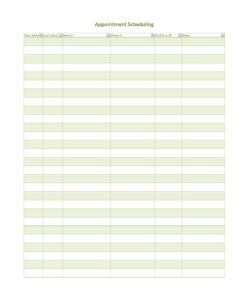
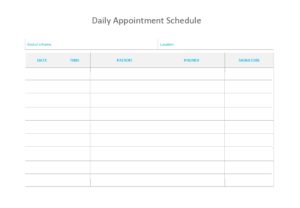
A properly filled-out appointment scheduling template tracks far more than just a name and a time slot — it records the client’s contact details, the service or reason for the visit, the assigned provider or room, and any special notes that staff need before the appointment begins. This level of detail matters because it lets a receptionist glance at a single sheet and know exactly what the day looks like, rather than flipping through separate notebooks or chasing down information by phone. An appointment scheduling template also makes it far easier to spot a scheduling conflict before it becomes a problem, since every booked slot sits visibly next to every other one for that day. Practices that keep this kind of shared, current record report fewer no-shows and far less confusion at the front desk, simply because staff are never guessing about who is expected and when.
Putting Your Free Template to Work
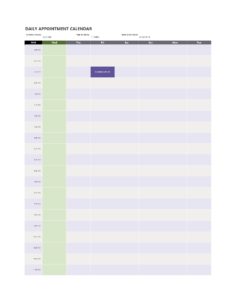
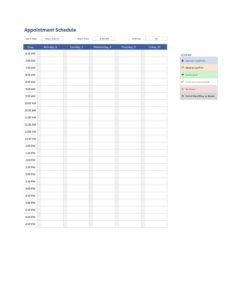
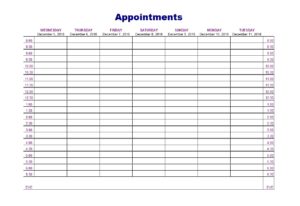
Getting an appointment scheduling template into daily use takes only a few minutes: open the file, list the time slots your office operates during, and begin filling in bookings as they come in. Because the appointment scheduling template is fully editable in standard spreadsheet software, you can add columns for insurance details, deposit status, or preferred contact method to match whatever your specific practice needs. Many offices print a daily copy for the front desk while keeping a master digital version updated in real time, which gives staff a fast visual reference without losing the searchable record. Once the habit of logging every booking immediately is established, this free template scales easily from a single provider to a multi-room, multi-staff practice without ever needing new software or a paid subscription.
Download Appointment Scheduling Template
-

-
Title: Appointment Scheduling Template Document (8127 clicks)
Caption: Appointment Scheduling Template
Filename: appointment-scheduling-template-document.xlsx
Size: 15 KB

-
-
Title: appointment schedule template 11 doc (2154 clicks)
Caption:
Filename: appointment-schedule-template-11-doc.zip
Size: 9 KB

-
-
Title: appointment schedule template 22 doc (1216 clicks)
Caption:
Filename: appointment-schedule-template-22-doc.zip
Size: 7 KB
-
-
Title: appointment schedule template CC doc (2037 clicks)
Caption:
Filename: appointment-schedule-template-cc-doc.zip
Size: 16 KB
-
-
Title: appointment schedule template dd doc (2035 clicks)
Caption:
Filename: appointment-schedule-template-dd-doc.xlsx
Size: 16 KB
-
-
Title: appointment schedule template ee doc (2133 clicks)
Caption:
Filename: appointment-schedule-template-ee-doc.xlsx
Size: 16 KB
-
-
Title: appointment schedule template FF doc (1952 clicks)
Caption:
Filename: appointment-schedule-template-ff-doc.xlsx
Size: 35 KB
-
-
Title: appointment schedule template GG doc (1467 clicks)
Caption:
Filename: appointment-schedule-template-gg-doc.xlsx
Size: 21 KB
-
-
Title: appointment schedule template HH doc (1200 clicks)
Caption:
Filename: appointment-schedule-template-hh-doc.docx
Size: 18 KB

Frequently Asked Questions About the Appointment Scheduling Template
What information should an appointment scheduling template include?
At minimum it should record the client’s name and contact information, the date and time of the visit, the service being provided, and the assigned staff member or room. Many offices also add a notes column for special requests or insurance details.
Can this template handle multiple providers in the same office?
Yes, most users add a column or a separate section for each provider so bookings across an entire team stay visible on one shared sheet instead of scattered across individual calendars.
Is the appointment scheduling template suitable for a small solo practice?
Absolutely — it works just as well for a single provider managing their own bookings as it does for a large multi-room office, since the underlying structure of time, client, and service stays the same either way.
What file format does the appointment scheduling template come in?
It downloads as an editable spreadsheet file that opens in standard software, so you can type directly into it, resize columns, or print a blank daily copy for the front desk.
Can the template help reduce no-shows?
Many offices add a confirmation or reminder-call column, which turns the appointment scheduling template into a simple tracking tool for follow-up calls in addition to its main scheduling job.
How often should the schedule be updated?
Update it the moment a booking is made, changed, or cancelled. An appointment scheduling template is only useful if it reflects the true state of the calendar at every moment during the day.
Can I track deposits or payment status with this template?
Yes, adding an extra column for payment or deposit status is a common customization, which lets front-desk staff see at a glance whether a booking is fully confirmed.
Does the appointment scheduling template work for service businesses outside healthcare?
It works well for salons, consultants, repair services, and any business that books client time in advance, since the core need — knowing who is expected and when — applies far beyond medical offices.
Can the appointment scheduling template be shared across a whole team?
Yes, many offices keep it in a shared drive so every staff member who books appointments is working from the same live sheet, which avoids the common problem of two people booking the same slot without realizing it.
What happens if an appointment needs to be rescheduled?
Since the file is fully editable, moving a booking to a new slot takes only a moment — simply update the row and the rest of the day’s schedule stays intact, which is far faster than rebuilding the day’s plan from scratch.
Is it better to keep a digital or printed appointment schedule?
Many offices keep both. A digital appointment scheduling template is easy to update in real time, while a printed daily copy at the front desk gives staff a quick visual reference without needing to check a screen between bookings.
Can this template be adapted for group or class-based appointments?
Yes, businesses that book multiple clients into the same time slot, such as fitness classes or group consultations, can simply list several names under one time block instead of assigning a single client per row.