1. Training Without a Plan Rarely Sticks
Employee development programs fail far more often from disorganization than from bad content, which is exactly why a training schedule template matters so much before a session ever begins. Training can be defined as a structured process an employer or training institute runs to build employee skills, attitude, and knowledge, but that process only works when sessions are actually planned, timed, and communicated clearly to everyone involved. A training schedule template solves this by turning a loose list of topics into a fixed sequence of dates, durations, and assigned facilitators, so nobody shows up unsure of what session comes next. Companies and training departments that skip this step often end up with overlapping sessions, half-attended workshops, or training that drags on far longer than planned, all of which a properly built training schedule template is specifically designed to prevent.
2. What a Strong Training Schedule Actually Tracks
A properly filled-out training schedule template records far more than a date — it lists the training topic, the trainer or facilitator responsible, the target audience, the session duration, and the location or platform where it will take place. This level of detail matters because it lets HR staff, managers, and employees glance at a single document and know exactly what is happening and when, rather than piecing information together from scattered emails or calendar invites. A training schedule template is equally useful whether the sessions cover new-hire onboarding, compliance requirements, or advanced skill-building for existing staff, since the underlying structure of topic, trainer, and timing applies across every type of program a business might run.
3. Build Your First Training Schedule in Minutes
Putting a training schedule template into use does not require specialized software — a standard spreadsheet program is enough to create, edit, and maintain it indefinitely. Start by listing every planned training session along with its objective, then add the assigned trainer, the expected duration, and the date it needs to happen. Once the initial list is built, updating the training schedule template as sessions are completed or rescheduled takes only a minute or two, and that small habit keeps the whole program accurate throughout the quarter or year. Many training departments print a shared copy for the notice board while keeping a live digital version for planning, and either approach works as long as the document stays current and reflects what is actually happening.
Training Schedule Template Free
-

-
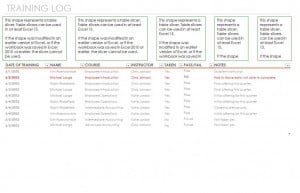
Title: Training schedule template Doc (16106 clicks)
Caption: Training schedule template
Filename: training-schedule-template-doc.xltx
Size: 57 KB

-
-
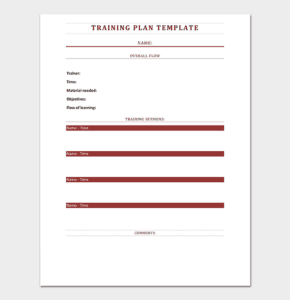
Title: Employee-Training-Schedule-Template-Word_Sample (3161 clicks)
Caption:
Filename: employee-training-schedule-template-word_sample.zip
Size: 30 KB

-
-
Title: Army-Training-Planner-Template_Sample 2 (2508 clicks)
Caption:
Filename: army-training-planner-template_sample-2.zip
Size: 147 KB
-
-
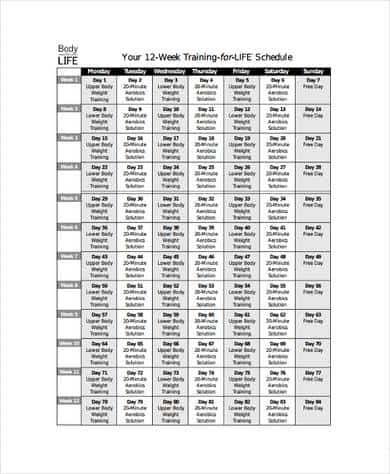
Title: Weekly-Training-Schedule-Template Sample (2429 clicks)
Caption:
Filename: weekly-training-schedule-template-sample-2.zip
Size: 31 KB
Frequently Asked Questions About the Training Schedule Template
What should a training schedule template include?
At minimum it should list the training topic, the assigned trainer, the target audience, and the date and duration of each session. Many organizations also add a column for prerequisites or required materials so attendees know how to prepare beforehand.
Can this template be used for onboarding new hires?
Yes, many companies use the training schedule template specifically to lay out a new employee’s first weeks, listing each orientation topic and the trainer responsible so nothing in the onboarding process gets skipped.
Is the training schedule template suitable for compliance training?
It works especially well for compliance programs, since regulators often expect documented proof that required training occurred on schedule, and a consistently updated training schedule template provides exactly that kind of record.
Can multiple trainers be tracked on one schedule?
Yes, most organizations list every trainer alongside their assigned sessions on a single sheet, which gives a training coordinator a full overview of the entire program instead of needing to check individual trainers’ calendars separately.
What software is needed to use the training schedule template?
The template opens in standard spreadsheet software, so no additional purchase or installation is required beyond a program most computers already have.
How often should a training schedule be updated?
Update it whenever a session is completed, rescheduled, or newly planned. A training schedule template is only useful if it reflects the current state of the program rather than an outdated plan from weeks earlier.
Can the template track attendance as well as scheduling?
Many organizations add a column for attendance confirmation, which turns the training schedule template into both a planning calendar and a simple record of who actually completed each session.
Is this template useful for a small business with only a few employees?
Absolutely — it scales down just as easily as it scales up, giving a small team the same organized structure for tracking training that a large corporate training department would use.
Can the training schedule template be shared with employees directly?
Yes, many companies post a shared version so employees can see upcoming sessions themselves and plan their own workload around them, rather than relying on managers to relay training dates individually.
What happens if a training session needs to be postponed?
Because the file is fully editable, moving a session to a new date takes only a moment — update the row and the rest of the training schedule template stays intact, avoiding the need to rebuild the whole plan from scratch.
Can this template help measure training effectiveness over time?
Keeping a historical training schedule template across several quarters or years makes it easier to see which topics were covered, how often refresher sessions were needed, and where gaps in the program may still exist.
Does the training schedule template work for remote or virtual training?
Yes, simply list the platform or meeting link in place of a physical location, and the same structure of topic, trainer, audience, and timing applies equally well to virtual sessions as it does to in-person ones.
Who should be responsible for keeping the training schedule current?
In most organizations, whoever coordinates the training program updates the schedule immediately after each session is confirmed, completed, or changed, which keeps the training schedule template accurate for everyone who references it.
Can the training schedule template be customized for different departments?
Yes, many organizations duplicate the base template for each department and then compare them side by side, which makes it easy to see whether one team is falling behind on required training compared to another.